

Agent pipeline integration
Knowledge retrieval participates as a named step in multi-agent workflows — invoked by agents when grounded context is needed, with results flowing directly into the next action.
Your organization's knowledge — policies, playbooks, docs, data — is only useful when your agents can reach it. Jarvis Knowledge Base surfaces content from 12 supported source types as 1 governed, agent-callable tool that integrates directly into your agentic workflows through the Agent Gateway.
Standard knowledge bases surface answers. Jarvis Knowledge Base makes your enterprise content callable — a live tool that agents invoke, reason over, and act on inside governed workflows.
Knowledge retrieval participates as a named step in multi-agent workflows — invoked by agents when grounded context is needed, with results flowing directly into the next action.
Registers as an MCP server endpoint and is auto-discovered by the Agent Gateway. Any connected copilot — Claude, GitHub Copilot, VS Code, Cursor — can invoke it without additional wiring.
Ingests from cloud storage, wikis, databases, and file uploads. Every source is smart-chunked, vector-embedded, and metadata-tagged into a single governed knowledge layer.
Every retrieval response includes passage-level citations traceable to the source document — giving agents verifiable evidence and compliance teams a complete audit record.
PII filtering, topic detection, and message logging are built into the retrieval layer. RBAC scopes enforce which agents and teams can access which knowledge domains.
Configurable sync schedules keep every knowledge domain current. Deletion safeguards prevent accidental mass-removal, and ACL updates propagate immediately without re-indexing.
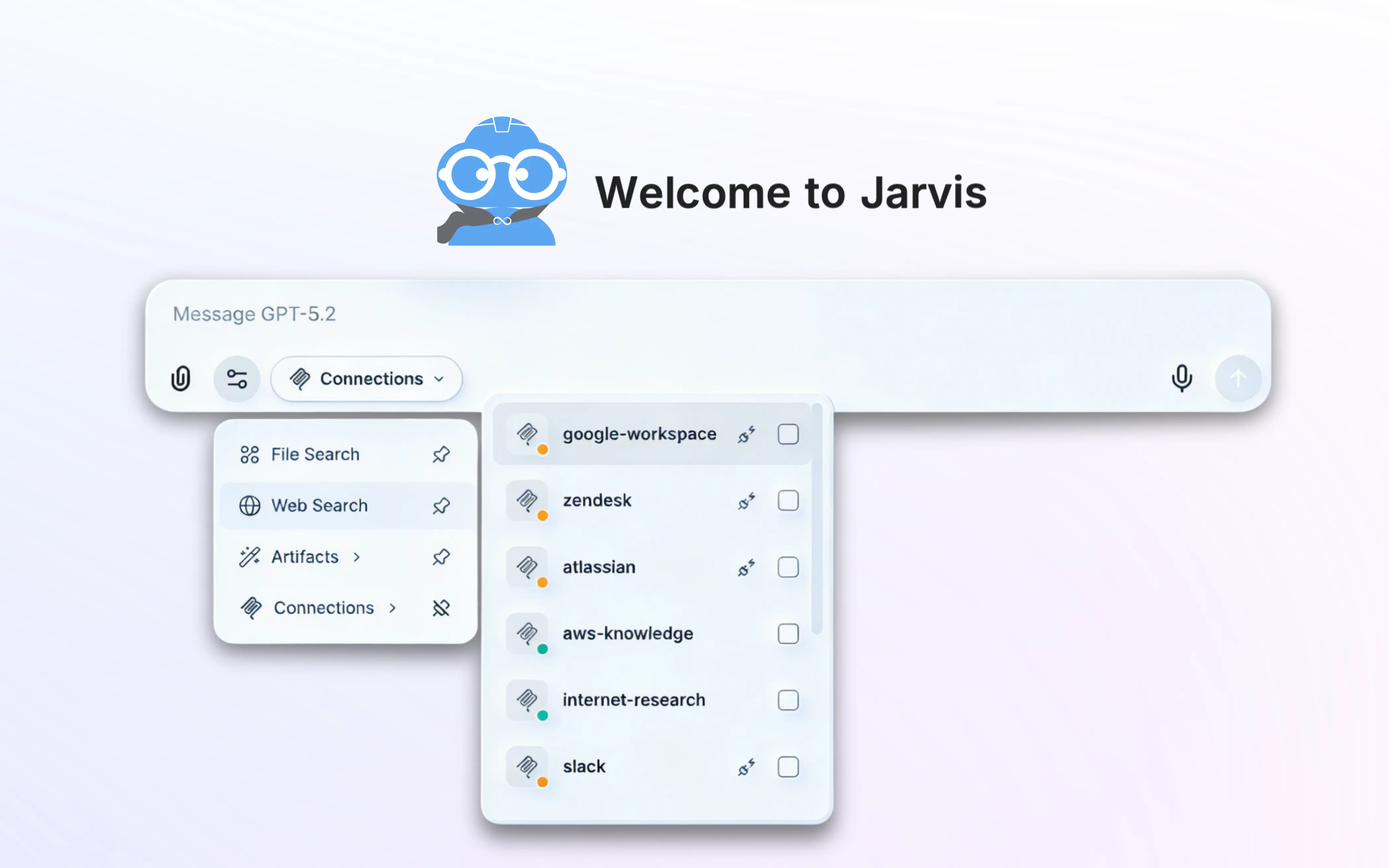
Once configured, Jarvis Knowledge Base registers itself as a named MCP tool in the Jarvis Registry. The Agent Gateway's auto-discovery sweep surfaces it alongside every other registered MCP server — so any copilot or agent connected to the gateway can invoke the knowledge base immediately.
No per-client configuration. No duplicated access management. The knowledge base tool is available wherever your agents are.
jarvis-knowledge-base MCP tool on setupAgents invoke the knowledge base inside a workflow the same way they invoke any other registered tool — as a step, with inputs and outputs that flow into the next action. One task can query the knowledge base multiple times, across different scopes, with each retrieval informing what happens next.
Every invocation is identity-bound, audit-logged, and traceable to a unique audit ID — so compliance teams have a complete record of what the agent retrieved and why it responded the way it did.
RBAC scopes and ACL policies from the Jarvis Governed AI layer determine which agents, teams, and users can access which knowledge domains — enforced at query time, not just at login. Legal, compliance, sales, and engineering each retrieve only from domains they're authorized for, even when sharing the same underlying index.
agent: compliance-checker
domain: legal-policies
result: authorized · logged
Jarvis Knowledge Base ships with production-ready connectors for the platforms where enterprise knowledge lives. Each connection becomes a governed knowledge domain — agent-callable through a single endpoint.
PDFs, DOCX, images, markdown. Cross-account IAM support.
Docs, Sheets, Slides — full Drive hierarchy with OAuth sync.
Personal and shared folders across your Microsoft 365 tenant.
Sites, document libraries, and team drives from Microsoft 365.
Wikis, runbooks, and policies from Atlassian Cloud or Data Center.
Pages and databases from any Notion workspace, synced on schedule.
Crawl and index public or internal web content on a configurable schedule.
Existing search index as a hybrid vector + lexical knowledge source.
Tables, views, and document columns as a queryable knowledge domain.
Relational tables and BLOB columns indexed as agent-callable knowledge.
MSSQL tables — on-premises or Azure SQL, via secure credentials.
PDF, DOCX, images up to 500 MB — OCR, chunking, and metadata extraction.
The Jarvis Agent Gateway auto-discovers every registered MCP server — including the Knowledge Base — and routes agent requests to the right tool through a single authenticated endpoint. No per-tool wiring, no duplicated access management.
See how Jarvis Knowledge Base registers as a governed MCP tool and integrates directly into your agentic workflows.
The Jarvis Knowledge Base turns scattered enterprise content into a governed retrieval tool that agents can discover and call. It is built for agent pipelines rather than for a chat sidebar. These 6 rows summarise how it behaves.
| Aspect | What the knowledge base provides |
|---|---|
| Exposed as | An MCP retrieval tool, so any governed agent can discover and call it without bespoke wiring. |
| Sources | Amazon S3, Google Drive, SharePoint, OneDrive, Confluence, Notion, web crawl, OpenSearch, PostgreSQL, MySQL, SQL Server, and direct upload. |
| Retrieval | A RAG pipeline combining search with generation, so answers are assembled from your content rather than model memory. |
| Citations | Answers carry document citations, which is what makes an output checkable instead of merely plausible. |
| Access scope | Every query is identity-bound and domain-scoped, so a user retrieves only from sources they may already read. |
| Guardrails | PII filtering, denied-topic detection, and message logging are embedded in the retrieval path. |
Retrieval is only safe when its permission model matches the source system, and only useful when answers point back at a record. These rows state both properties, plus the source coverage and the protocol involved.
| Specification | Value |
|---|---|
| Source types supported | 12 — Amazon S3, Google Drive, SharePoint, OneDrive, Confluence, Notion, web crawl, Amazon OpenSearch, PostgreSQL, MySQL, Microsoft SQL Server, direct upload |
| Upload formats | PDF, DOCX, and image files |
| Exposed as | 1 MCP tool, discoverable by any governed agent |
| Tool protocol | Model Context Protocol (MCP) over JSON-RPC 2.0 |
| Retrieval method | RAG pipeline combining search with generation |
| Citations | Passage-level references returned with every answer |
| Permission model | Identity-bound and domain-scoped — 0 widening of existing source permissions |
| Access control | RBAC plus per-domain ACL entries |
| Caller identity | Azure EntraID via OpenID Connect Core 1.0; SAML 2.0 supported |
| Authorization | OAuth 2.0 (RFC 6749), Bearer usage per RFC 6750 |
| Sync model | Scheduled sync against the system of record, with deletion safeguards |
| Copies of source content | 0 permanent copies outside the customer account |
| Guardrails | PII filtering and denied-topic detection embedded in the retrieval path |
| Transport security | TLS 1.2 minimum, TLS 1.3 preferred (RFC 8446) |
| Token scoping | Resource Indicators for OAuth 2.0 (RFC 8707) |
| Delegation | OAuth 2.0 Token Exchange (RFC 8693) |
| Public-client flows | PKCE (RFC 7636) |
| Identity federation | OpenID Connect Core 1.0 and SAML 2.0 |
| Telemetry | OpenTelemetry OTLP — 1 span per retrieval call |
| Denial responses | HTTP 401 unauthenticated, HTTP 403 policy denial |
| Zero-trust reference | NIST SP 800-207 (2020) |
| AI governance reference | NIST AI RMF 1.0 (2023) |
| Marketplaces | 2 — AWS Marketplace and Azure Marketplace |
| Contract tiers | 3 standard tiers, USD 18,000–60,000 |
| Runtimes | 3 managed Kubernetes services — Amazon EKS, Azure AKS, Google GKE |
| Customer rating | 5 out of 5 from 1 verified AWS Marketplace review |
A 33-second overview of how enterprise content becomes a governed, agent-callable retrieval tool — the shortest way to see what the source and citation rows above mean in practice.
Knowledge projects stall when they start by ingesting everything. The 5 steps below scope a first domain narrowly enough that answer quality can actually be judged.
Pick one domain. Choose a single body of content with a clear owner — HR policy, a product manual, a runbook set.
Connect the source. Attach the system that already holds it rather than copying documents into a new repository.
Scope access to match. Bind the domain to the identities allowed to read the source, so retrieval cannot widen existing permissions.
Check the citations. Run real questions and verify each answer cites the document a subject-matter expert would have pointed to.
Expose it to agents. Publish the domain as an MCP tool so agent workflows can call it as a step rather than a separate lookup.
Two properties make a knowledge base usable by agents rather than only by people: automatic discoverability, and answers that carry citations back to the underlying record.
Retrieval projects raise a consistent set of questions about permissions, accuracy, and how the content stays current.
No. Every query is identity-bound and domain-scoped, so retrieval operates within the permissions the user already has on the underlying source.
That is the property that makes it safe to point a knowledge base at a system like SharePoint, where access varies significantly between teams.
Answers carry document citations, so a reviewer can open the source record and confirm the claim rather than trusting the phrasing.
Citations are also what make retrieval useful in an agent pipeline: a later step can act on the source document, not just on the summary.
Connected sources sync automatically, so the retrieval index tracks the system of record instead of drifting away from it.
This is the main practical argument against copying documents into a separate store: the copy is stale the moment someone edits the original.
It is published as an MCP tool, so a governed agent discovers it through the registry and calls it as a workflow step with no bespoke integration.
Retrieval therefore becomes part of a pipeline rather than a sidebar a human has to consult separately.
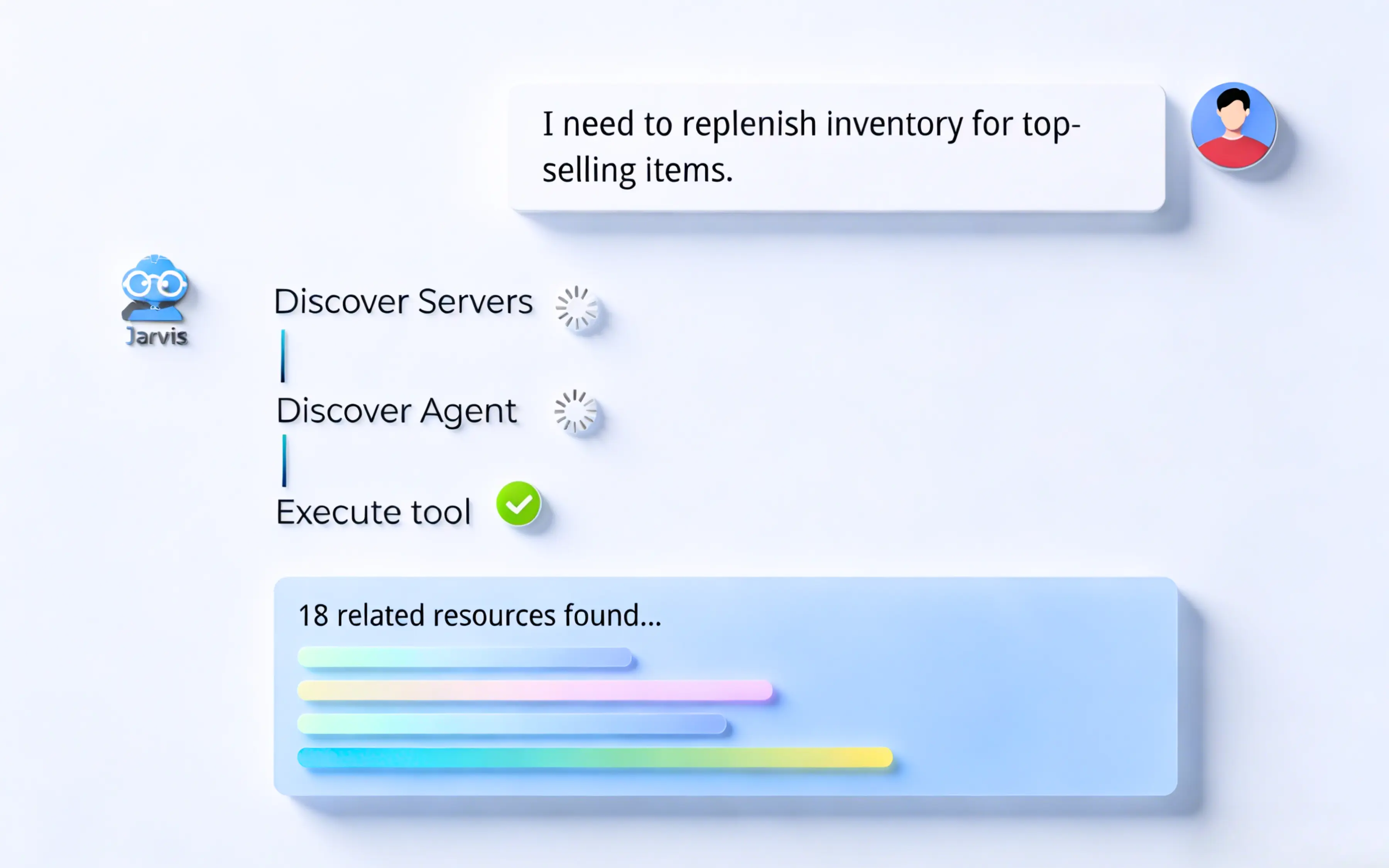
It registers as an MCP tool in the Jarvis Registry. When an agent receives a task, it auto-discovers the KB through the Agent Gateway and invokes it at runtime — issuing targeted queries, evaluating retrieved evidence, and citing sources before generating a governed response.
That sequence matters: the agent is not handed a block of context up front, it decides what to look up while working, which is what keeps long workflows from drowning in irrelevant retrieved text.
Automatically. Once configured in Jarvis, it registers itself as an MCP server endpoint. Any connected copilot or agent — Claude, GitHub Copilot, VS Code, Cursor — can then discover and invoke it without additional configuration.
There is no per-client integration step, which is the difference between 1 configuration and 1 configuration per team.
Amazon S3, Google Drive, SharePoint, OneDrive, Confluence, Notion, Web Crawler, Amazon OpenSearch, PostgreSQL, MySQL, Microsoft SQL Server, and direct file upload of PDF, DOCX, and image files — 12 source types in total.
Structured and unstructured sources sit behind the same retrieval interface, so an agent asking a question does not need to know whether the answer came from a wiki page or a database table.
Retrieval is one capability inside a governed platform. These pages cover what it plugs into.
ASCENDING is an AWS Advanced Tier Services Partner with the AWS Generative AI Competency, and builds Jarvis as licensed software that runs inside your own cloud account. The sources below cover the protocol and storage services referenced above.